

- Compatible XF 2.x versions
- 2.3
Description:
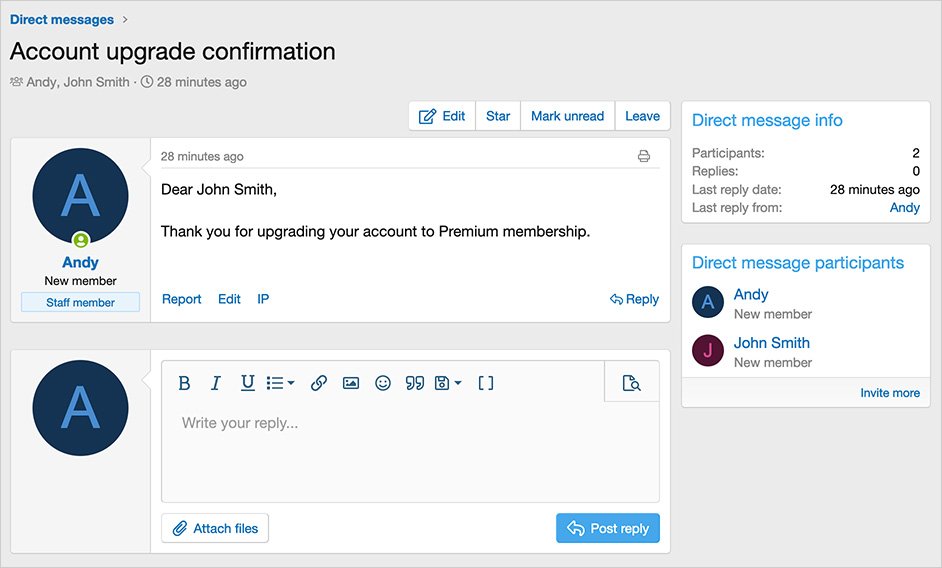
Sends a direct message when a user upgrades their account.
(Example of direct message)
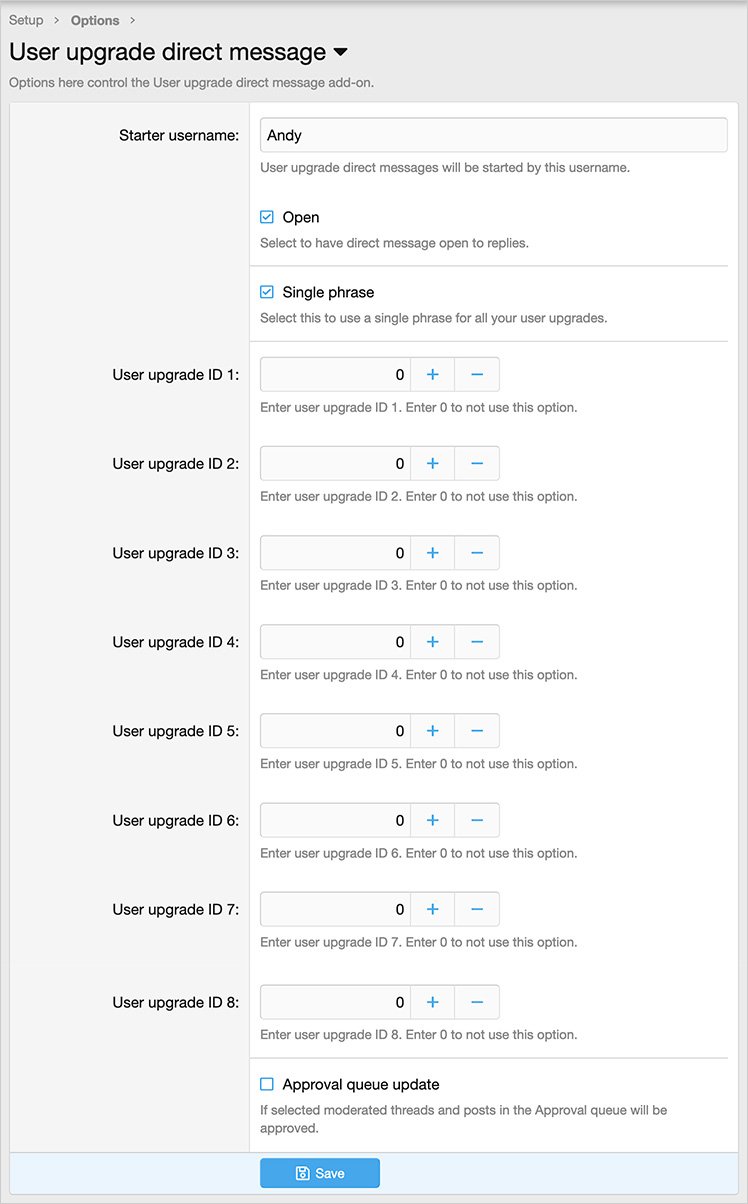
(Example of Options page)
Features:
Go to the following location to get the user upgrade ID:
Admin control panel -> Users -> User upgrades
Hover over the user upgrade title, at the bottom of your browser you will see the URL, the user upgrade ID is the number shown in the URL, make note of each user upgrade ID number.
Update the Options page with your user upgrade ID number(s).
Phrases:
To use a single phrase for all user upgrades, edit the following phrase:
userupgradedirectmessage_body
If you would like to have specific information for each user upgrade then edit the following phrases:
userupgradedirectmessage_body_1
userupgradedirectmessage_body_2
userupgradedirectmessage_body_3
userupgradedirectmessage_body_4
userupgradedirectmessage_body_5
userupgradedirectmessage_body_6
userupgradedirectmessage_body_7
userupgradedirectmessage_body_8
Questions and Answers:
Q: Will an email also be sent?
A: Yes, assuming the member has new direct message notification enabled.
Q: Do I need to set User upgrade ID 1 if I want to send same message for all user upgrades?
A: No. You can leave all of the User upgrade ID's to 0. Just make sure Single phrase is checked.
Q: I use recurring, will a direct message be sent only upon initial Account upgrade?
A: Yes.
Sends a direct message when a user upgrades their account.
(Example of direct message)
(Example of Options page)
Features:
- Allows up to eight individual user upgrade phrases.
- All phrases start with userupgradedirectmessage_ for your convenience.
Go to the following location to get the user upgrade ID:
Admin control panel -> Users -> User upgrades
Hover over the user upgrade title, at the bottom of your browser you will see the URL, the user upgrade ID is the number shown in the URL, make note of each user upgrade ID number.
Update the Options page with your user upgrade ID number(s).
Phrases:
To use a single phrase for all user upgrades, edit the following phrase:
userupgradedirectmessage_body
If you would like to have specific information for each user upgrade then edit the following phrases:
userupgradedirectmessage_body_1
userupgradedirectmessage_body_2
userupgradedirectmessage_body_3
userupgradedirectmessage_body_4
userupgradedirectmessage_body_5
userupgradedirectmessage_body_6
userupgradedirectmessage_body_7
userupgradedirectmessage_body_8
Questions and Answers:
Q: Will an email also be sent?
A: Yes, assuming the member has new direct message notification enabled.
Q: Do I need to set User upgrade ID 1 if I want to send same message for all user upgrades?
A: No. You can leave all of the User upgrade ID's to 0. Just make sure Single phrase is checked.
Q: I use recurring, will a direct message be sent only upon initial Account upgrade?
A: Yes.


